Last updated: June 11, 2026
Company Profile
Your company profile is the central record for legal, financial, and operational details. Admins maintain this information; team members access it as a reference.
Managing Company Details
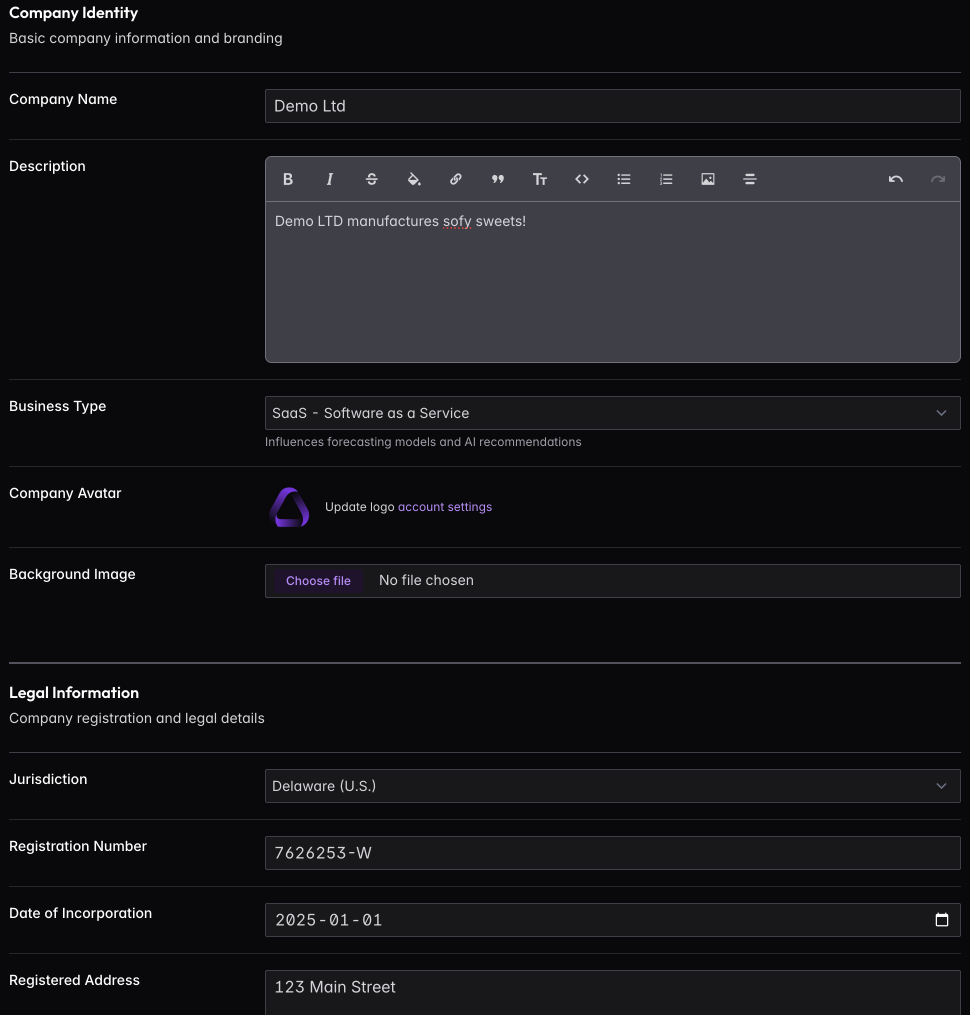
Click Edit Profile to update your company information. The profile is organized into sections that map to the information investors, accountants, and legal counsel typically need.
Company Identity captures your brand — logo, cover image, tagline, and a brief description of what you do. This appears on investor updates and shared documents.
Legal Information stores your incorporation details: legal entity name, registration number, tax ID, jurisdiction, and incorporation date. When lawyers or investors ask for your corporate docs, this is where you’ll pull the basics.
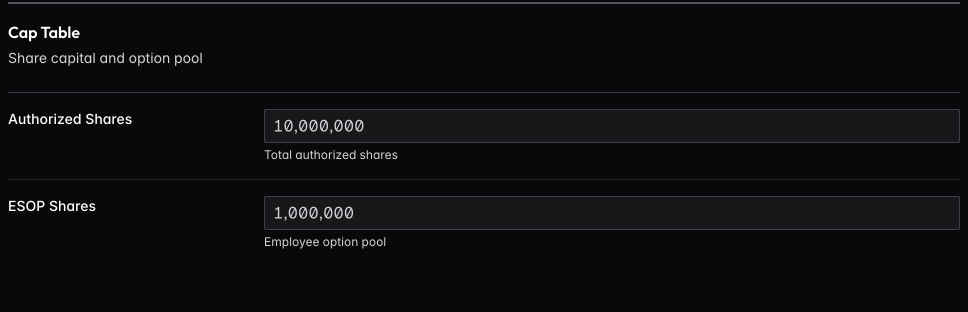
Financial Information defines how your finances are structured: base currency, financial year end, authorized shares, and ESOP pool allocation. Get these right — they affect cap table calculations and financial reports throughout the platform.
Entity Type defines your company’s legal structure. Available options depend on your jurisdiction:
- US (Delaware, California, Nevada, Wyoming): C-Corp or LLC
- UK: Ltd or LLP
- Ireland, Singapore, Hong Kong, Cyprus, Malta: Ltd/Pte Ltd
- Germany: GmbH or UG
- Netherlands: BV
- Switzerland: AG or GmbH
- Estonia: OÜ
Your entity type determines your ownership model:
- Equity-based (C-Corp, Ltd, etc.): Uses shareholders and shares
- Membership-based (LLC, LLP): Uses members and units
This affects terminology throughout the platform — cap table, investor relations, and compliance tracking all adapt to your entity type.
Social Media links your company’s public profiles. These appear on your profile and can be included in investor updates.
User View
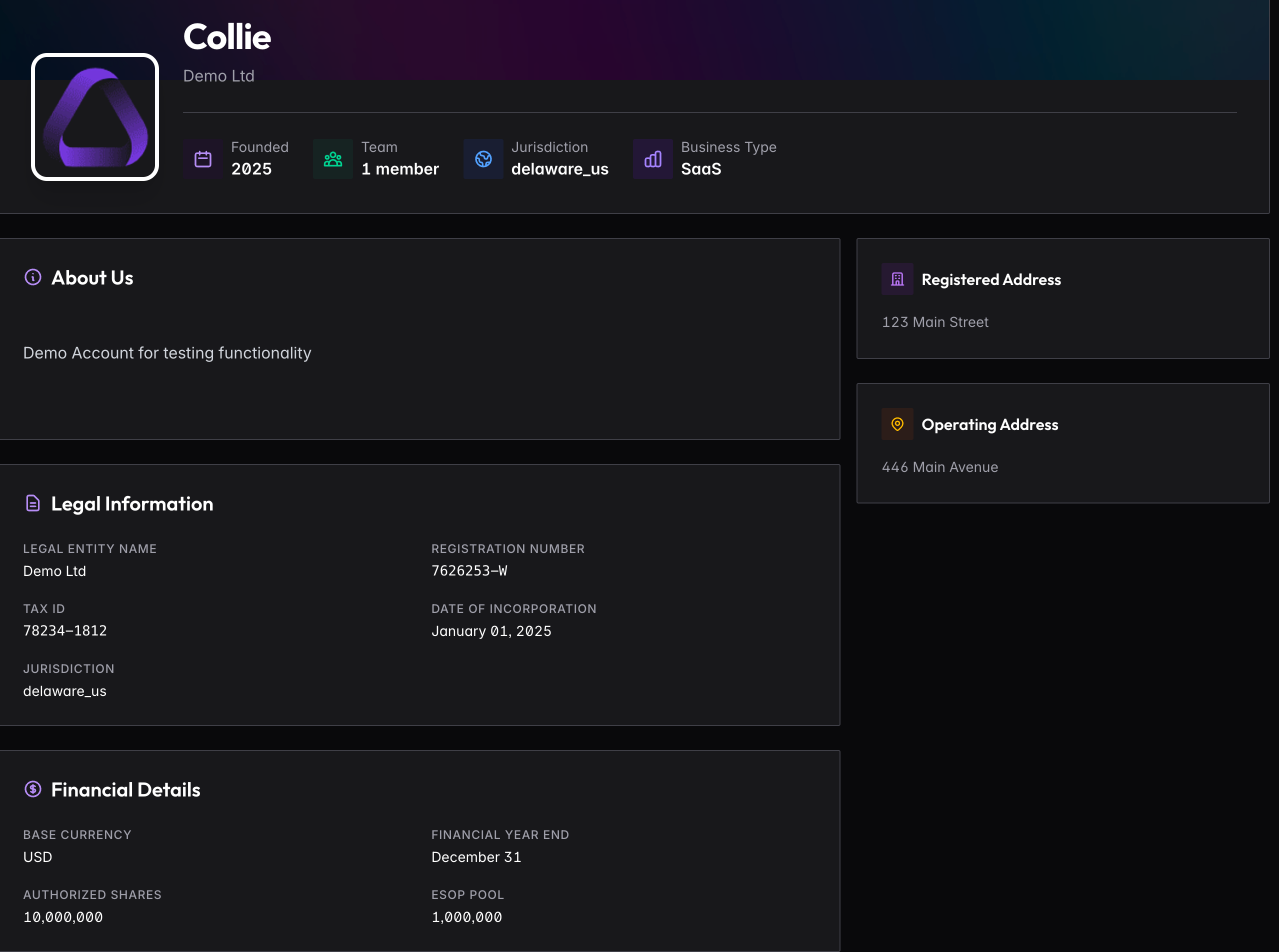
Team members without admin access see a read-only version of the profile. This gives everyone a reference for company details without risking accidental changes to legal or financial information.
Cap Table Summary
The profile includes a snapshot of your current cap table — total shares issued, ownership breakdown, and option pool status. Click through to the full cap table for detailed share class and investor information.
LLC to Corporation Conversion
If your company is an LLC and you’re considering converting to a C-Corp (common before raising institutional funding), FoundersBoxx can help manage the transition.
Navigate to Investors → Convert to Corporation to start the conversion process. The system will:
- Map members to shareholders — Convert membership percentages to share allocations
- Calculate share distribution — Determine shares based on your authorized share count
- Create shareholder records — Automatically generate shareholder entries
- Update cap table — Switch from membership-based to equity-based view
- Record the conversion — Maintain audit trail of the entity change
The conversion preserves ownership percentages while translating units to shares. After conversion, you’ll use the standard equity-based cap table with shareholders instead of members.
Note: This is a platform record-keeping change. Actual legal conversion requires working with your attorney to file the appropriate state documents.
Compliance Dates
FoundersBoxx tracks jurisdiction-specific compliance deadlines based on your incorporation details.
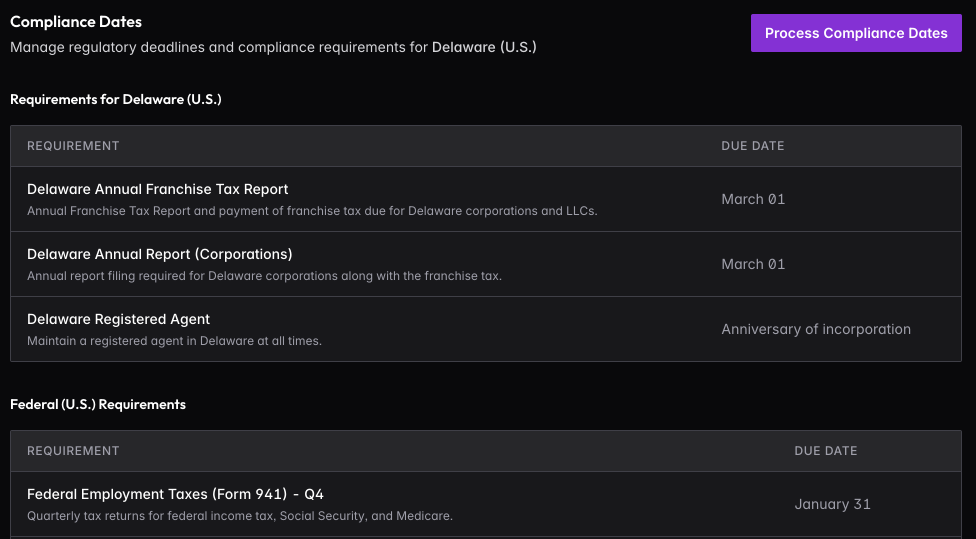
Click Process Compliance Dates to generate upcoming deadlines for your jurisdiction. The system creates calendar events for annual filings, tax deadlines, and regulatory requirements specific to where you’re incorporated.
Run this when you first set up your profile, then again every six months or after any change to your legal structure. Each run generates twelve months of deadlines, so you’ll always have visibility into what’s coming.
These deadlines appear in your company calendar and can trigger reminders, ensuring nothing slips through the cracks.