Last updated: June 11, 2026
Convertible Instruments
Track SAFEs and convertible notes — the equity that doesn’t exist yet but will when you raise a priced round.
Adding a Convertible
Click New Convertible Instrument (or add from a shareholder’s detail page).
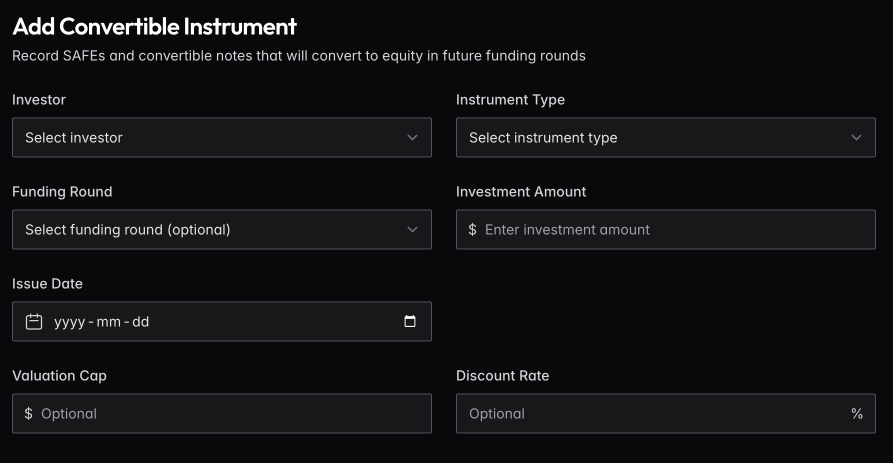
Select the investor, instrument type (SAFE or Note), investment amount, and issue date. Optionally link it to a funding round.
Valuation cap sets the maximum valuation at which the instrument converts. Discount rate gives the investor a percentage off the round price. If both exist, the investor gets whichever yields more shares.
For Notes, you’ll also enter interest rate and term length.
Converting to Equity
When you close a priced round that triggers conversion, find the instrument and click Convert from the actions menu. The system calculates shares based on cap vs. discount vs. round price, creates a shareholding for the investor, and marks the instrument as converted.
Impact on Cap Table
Outstanding convertibles appear in a dedicated section of the cap table. Use the Simulator to model how they’ll affect ownership when they convert — toggle “Convert outstanding SAFEs/Notes” to see the dilution impact.