Last updated: June 11, 2026
Shareholders
Shareholders are the people and entities that own (or will own) equity in your company — founders, investors, employees with options, advisors.
Adding a Shareholder
Click New Shareholder. Enter their name, email, and type (Founder, Investor, Employee, Advisor, Other).
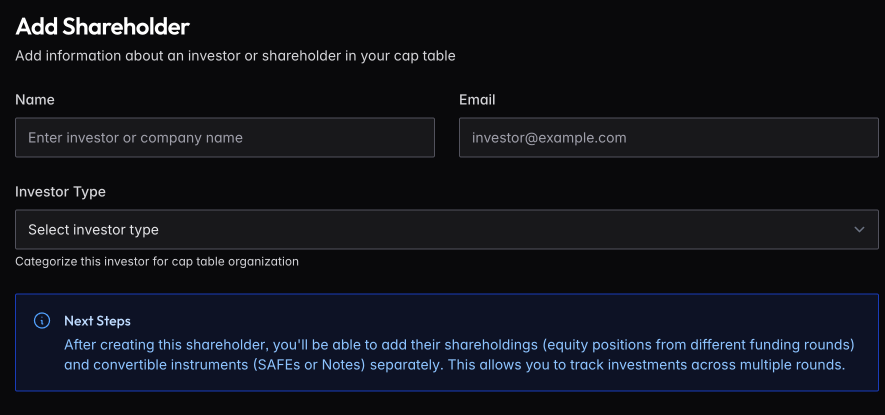
Creating a shareholder doesn’t give them equity — it creates a record. Next, add their shareholdings (equity positions) and any convertible instruments (SAFEs or Notes).
Shareholder Detail
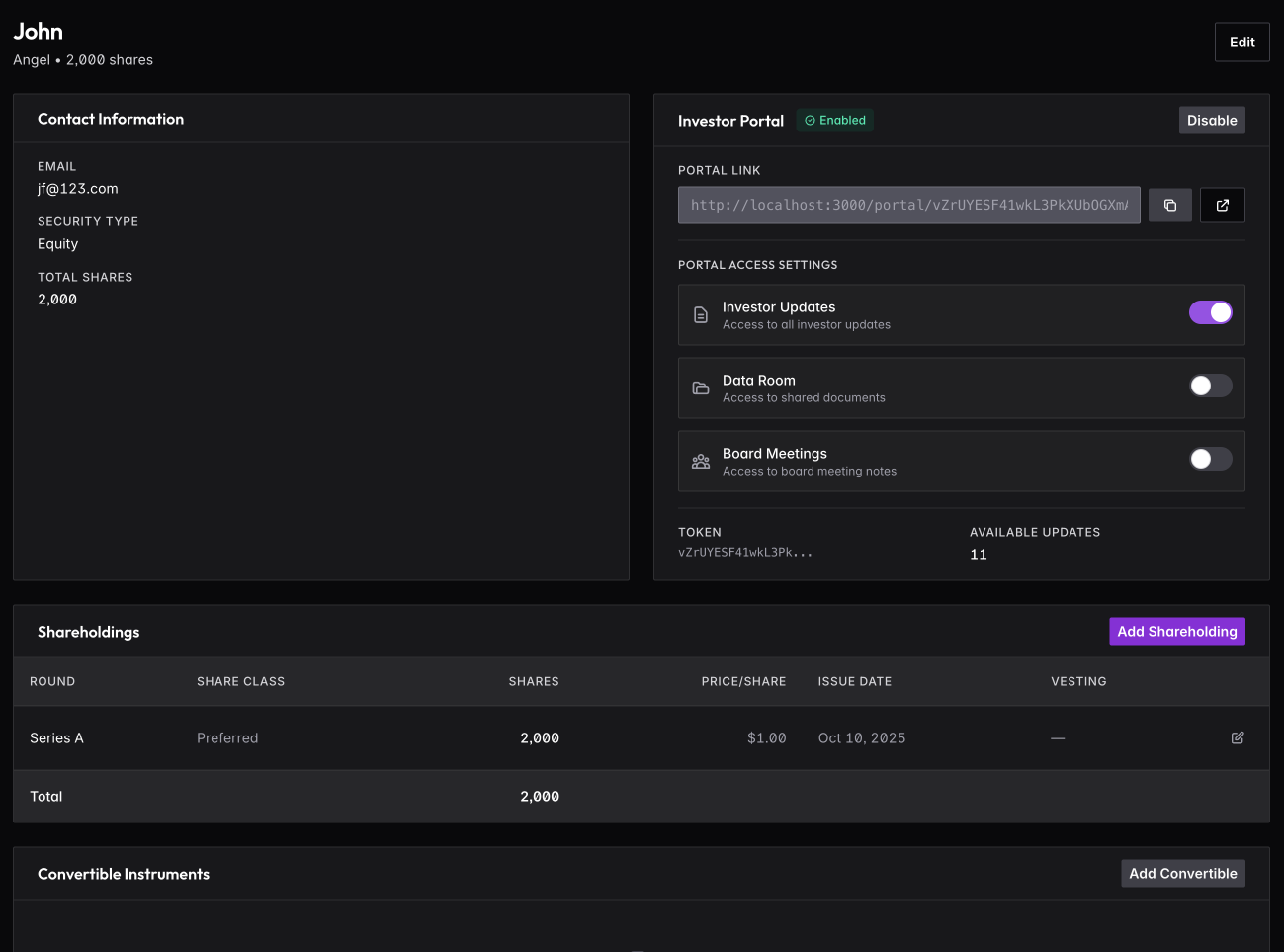
Click any shareholder to see their complete picture: contact information, all shareholdings across rounds, and any convertible instruments they hold.
Adding Securities
Add Shareholding to record equity positions. Select the funding round, share class, number of shares, price per share, and issue date. For employee grants, add vesting details (see below).
Add Convertible to record SAFEs or Notes. These track separately until they convert to equity in a future round.
Vesting Schedules
Employee equity typically vests over time. Configure vesting when adding a shareholding:
Vesting Terms
- Vesting Period — Total length of vesting (commonly 4 years)
- Cliff — Initial period before any shares vest (commonly 1 year)
- Vesting Start Date — When vesting begins (often hire date or grant date)
How Vesting Works
With a typical 4-year schedule and 1-year cliff:
- Year 0-1: No shares vest (cliff period)
- At 1 year: 25% vests immediately (cliff vesting)
- Years 1-4: Remaining 75% vests monthly or quarterly
Example: 10,000 shares with 4-year vesting, 1-year cliff:
- Month 12: 2,500 shares vest (cliff)
- Months 13-48: ~208 shares vest each month
- Month 48: Fully vested
Vesting Progress
On the shareholder detail page, you’ll see:
- Total shares granted
- Shares vested to date
- Shares unvested
- Next vesting event date
- Vesting percentage complete
Acceleration
Some grants include acceleration provisions:
- Single trigger — Shares accelerate on acquisition
- Double trigger — Shares accelerate on acquisition + termination
Record acceleration terms when adding the shareholding. If triggered, you can manually accelerate vesting.
Early Exercise
If the shareholder can early exercise (purchase unvested shares), record this separately. Early exercised shares are owned but may be subject to repurchase if the shareholder leaves.
Investor Portal
Each shareholder can get access to an investor portal — a private view where they see updates, data room documents, and any board materials they are authorized to view.
Enable the portal from the shareholder detail page. You control exactly what they can access: toggle Investor Updates, Data Room, and Board Meetings independently. Copy the unique portal link to share with them.
See Investor Portal for more details.
Shareholder Types
Categorize shareholders for filtering and reporting:
- Founder — Company founders with initial equity
- Investor — VCs, angels, or other outside investors
- Employee — Team members with equity compensation
- Advisor — Advisors with equity grants
- Other — Board members, consultants, etc.
Compensation History
For employees, you can also track compensation changes over time in their employee profile. This is separate from equity and tracks salary, bonuses, and other cash compensation.