Last updated: June 11, 2026
Forecasts
Project your revenue, costs, and expenses 12 months forward. Forecasts feed into runway calculations, cash projections, and the rolling P&L on the command center.
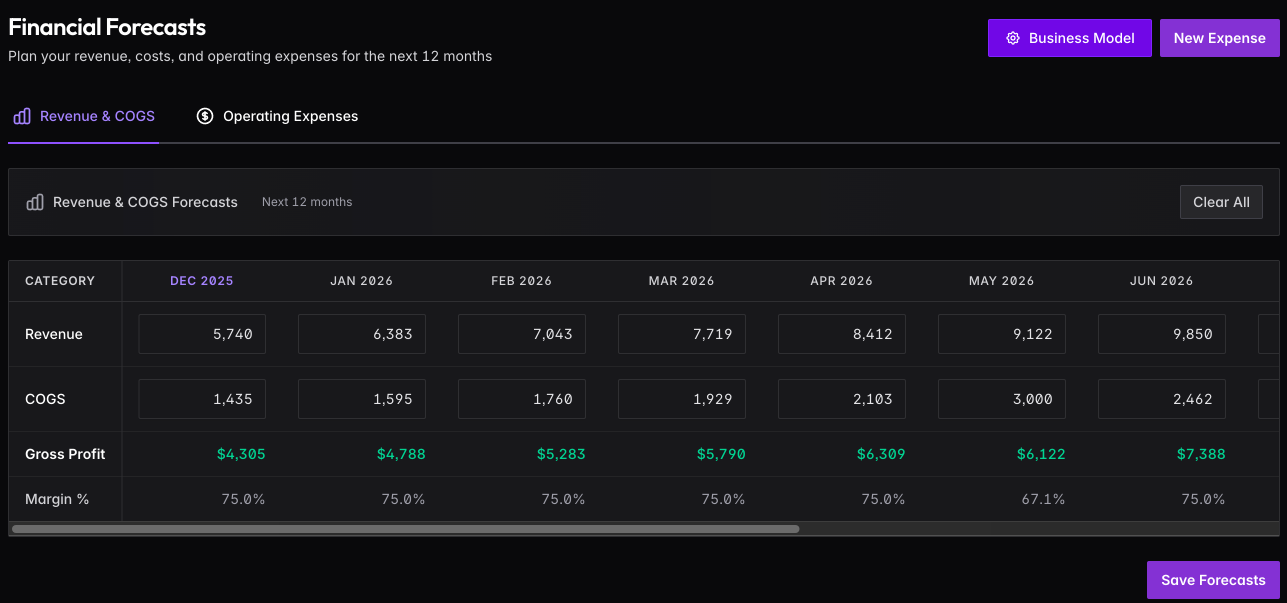
Revenue & COGS
Build out your revenue and cost projections by month. Click any cell to edit — changes auto-save. Gross Profit and Margin % calculate automatically.
Business Model
Click Business Model to configure how revenue should be calculated based on your business type.
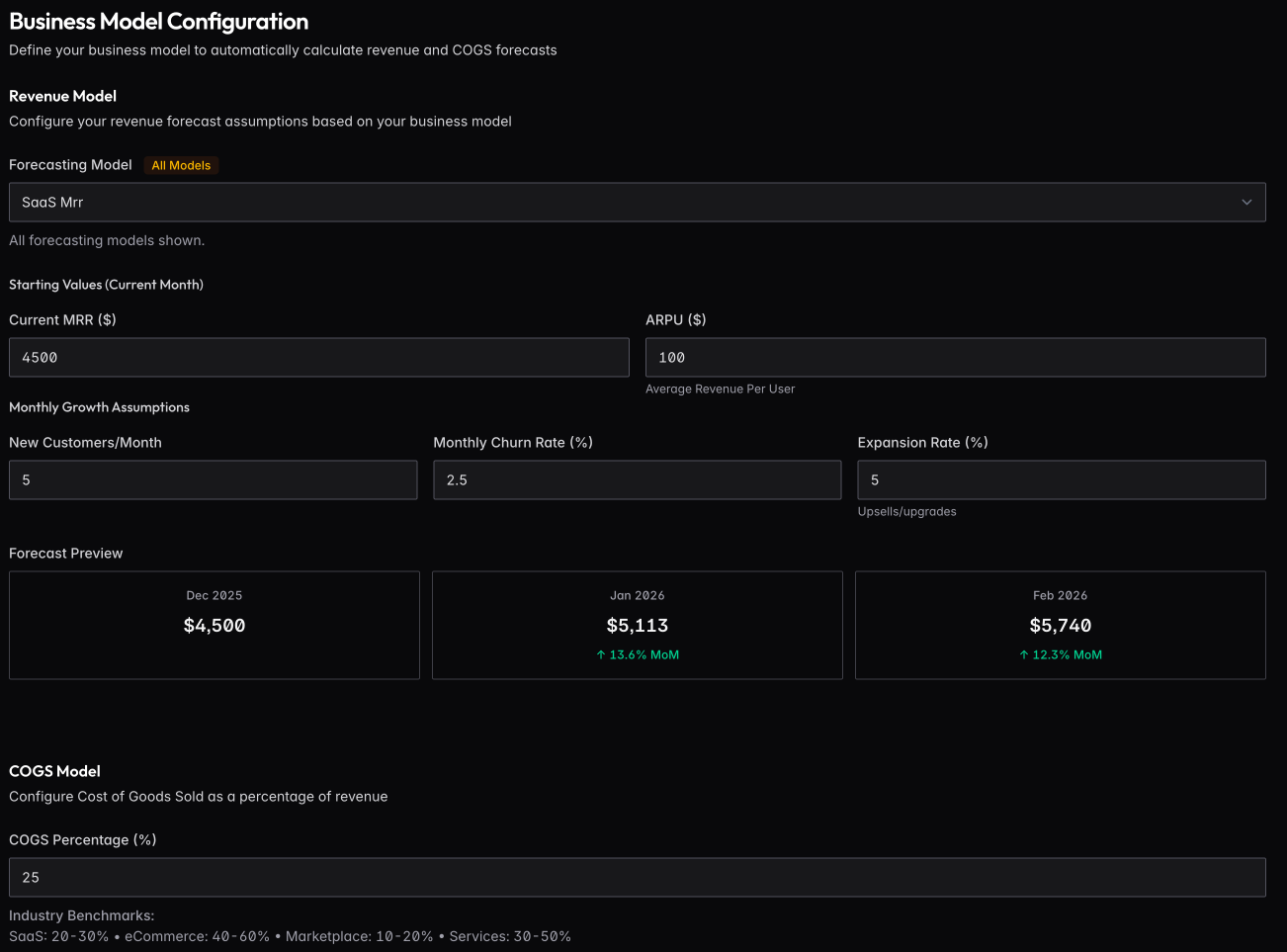
For SaaS, enter your current MRR, ARPU, new customers per month, churn rate, and expansion rate. The system projects revenue forward based on these assumptions and shows a preview of the next few months.
Available models: SaaS MRR, SaaS Unit Economics, E-commerce GMV, Marketplace, Hourly Rate, and Linear growth.
Set your COGS Percentage as a portion of revenue. Industry benchmarks are shown for reference (SaaS: 20-30%, E-commerce: 40-60%, Marketplace: 10-20%, Services: 30-50%).
Operating Expenses
Click New Expense to add recurring costs (salaries, rent, software) or one-time expenses (equipment, legal fees).
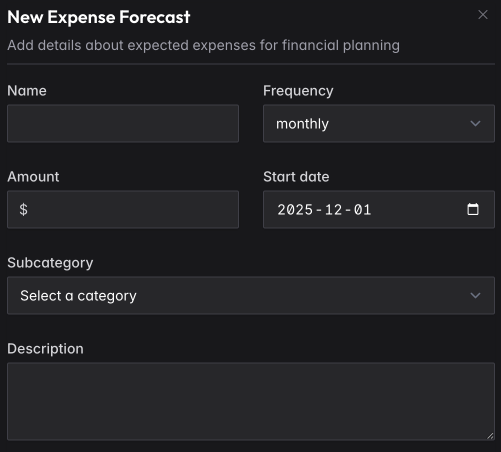
Enter the name, amount, frequency (monthly, quarterly, one-time), start date, and category. Recurring expenses automatically extend across future months.
Import from Actuals
If you have historical data from your accounting sync, click Import from Actuals to create forecasts based on actual spending patterns.
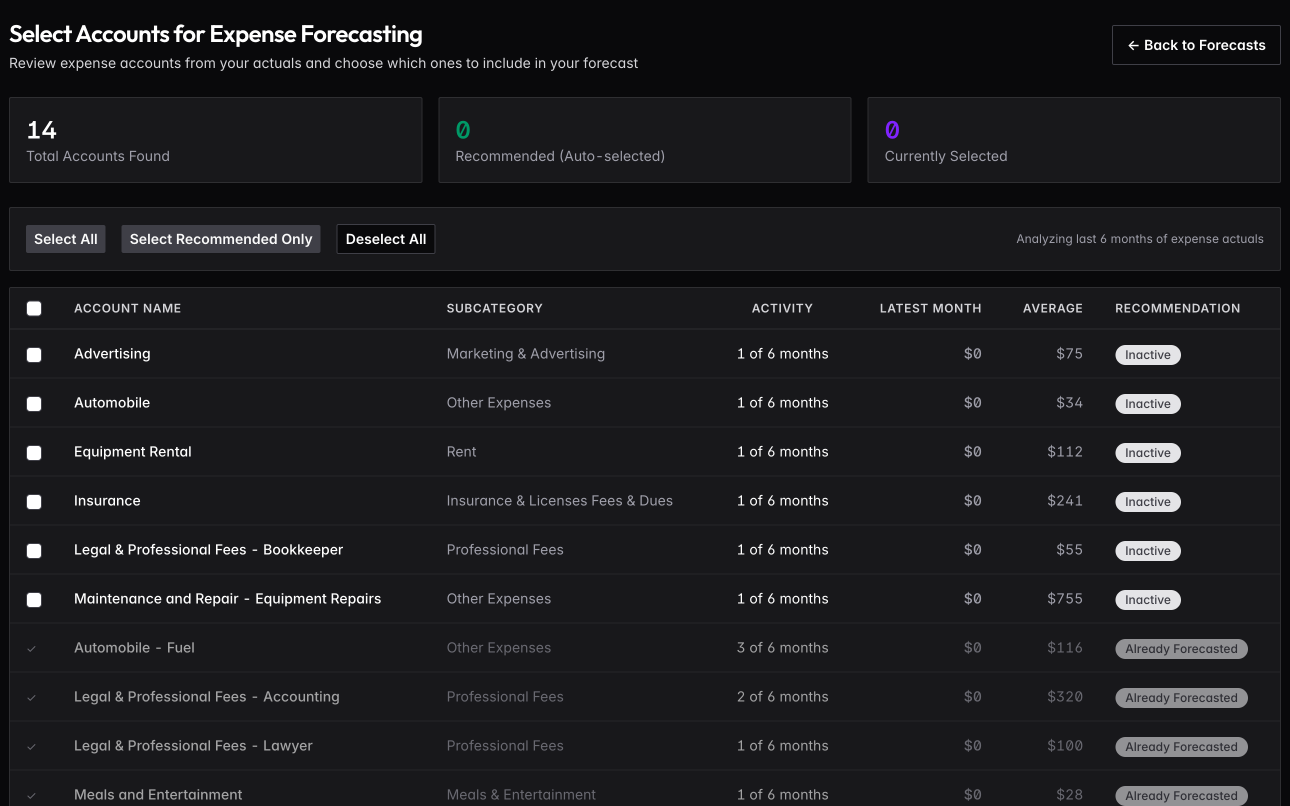
The system analyzes your last 6 months of expenses and identifies recurring costs. Select which accounts to include, and forecasts are created using your recent spending as the baseline.
How Forecasts Are Used
Forecasts combine with actuals on the command center: past months show what happened, future months show what you’re projecting. Runway calculations use forecasted burn rate. Variance analysis compares what you projected versus what actually occurred.