Last updated: June 11, 2026
Evaluations
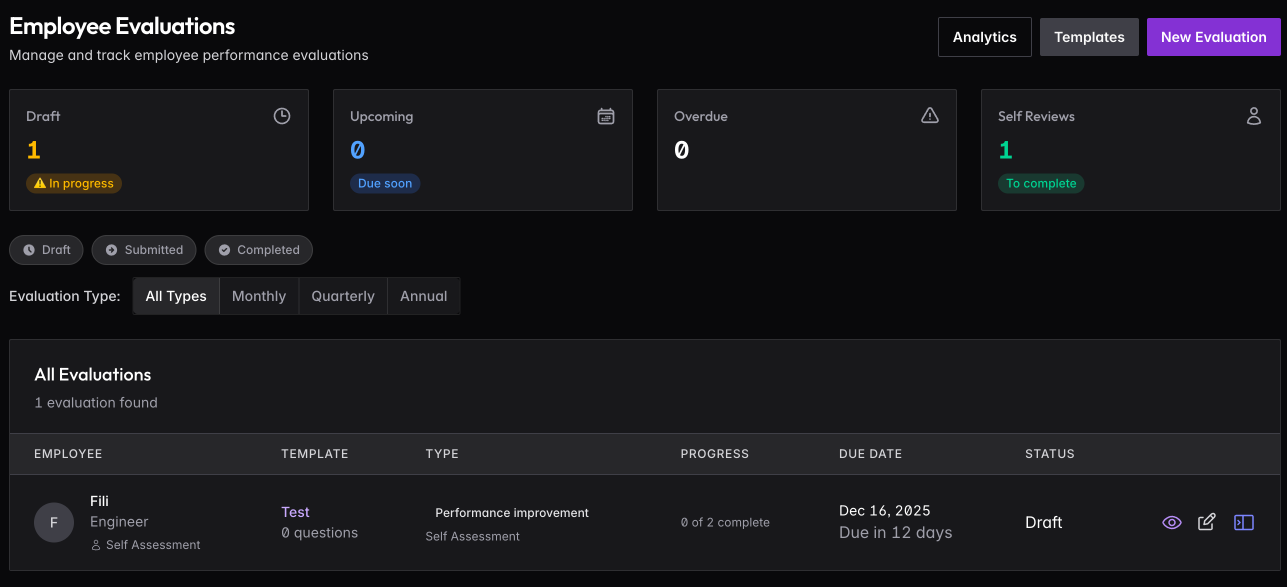
Structured performance reviews with customizable templates. Admins and anyone with the HR capability manage templates and assign evaluations; team members and managers complete them.
Templates
Create templates for different review purposes: monthly check-ins, quarterly reviews, annual performance assessments, candidate evaluations, onboarding check-ins, or exit interviews.
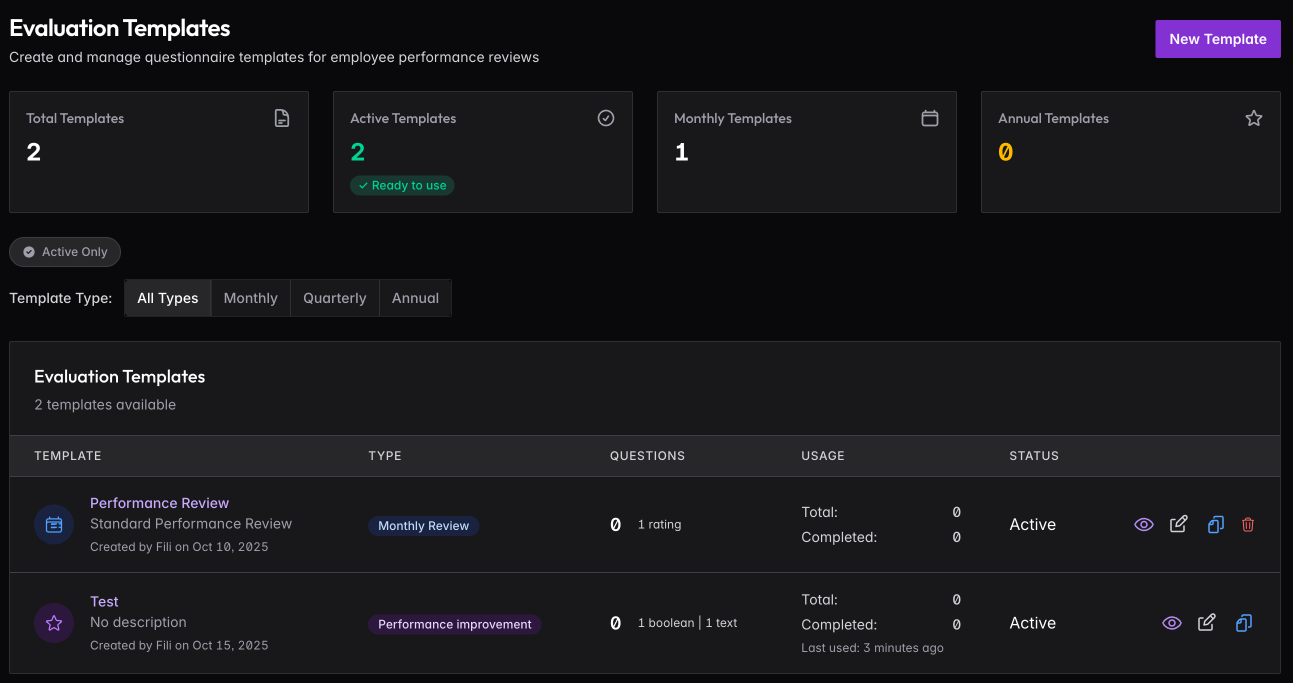
Each template contains questions you define. Three question types are available: Rating (1-5 scale), Boolean (yes/no), and Text (free-form response). Build templates that fit your company’s review process.
Templates can be Monthly, Quarterly, or Annual — this determines how they’re categorized and filtered. Only active templates appear when creating new evaluations.
Assigning Evaluations
Click New Evaluation to assign a review. Select the template, choose the employee being evaluated, pick the assessment type, and set a due date.
Assessment types determine who completes the evaluation:
- Self assessment — employee evaluates themselves
- Manager assessment — manager evaluates their direct report
- Peer assessment — colleague evaluates a peer
- Upward assessment — employee evaluates their manager
My Evaluations
When assigned an evaluation, a My Evaluations menu item appears. Employees see evaluations about themselves, pending evaluations they need to complete, and evaluations they’ve submitted.
Notifications are sent when evaluations are assigned, and reminders go out automatically as due dates approach.
Admins have a complete overview of all pending and completed evaluations across the company.